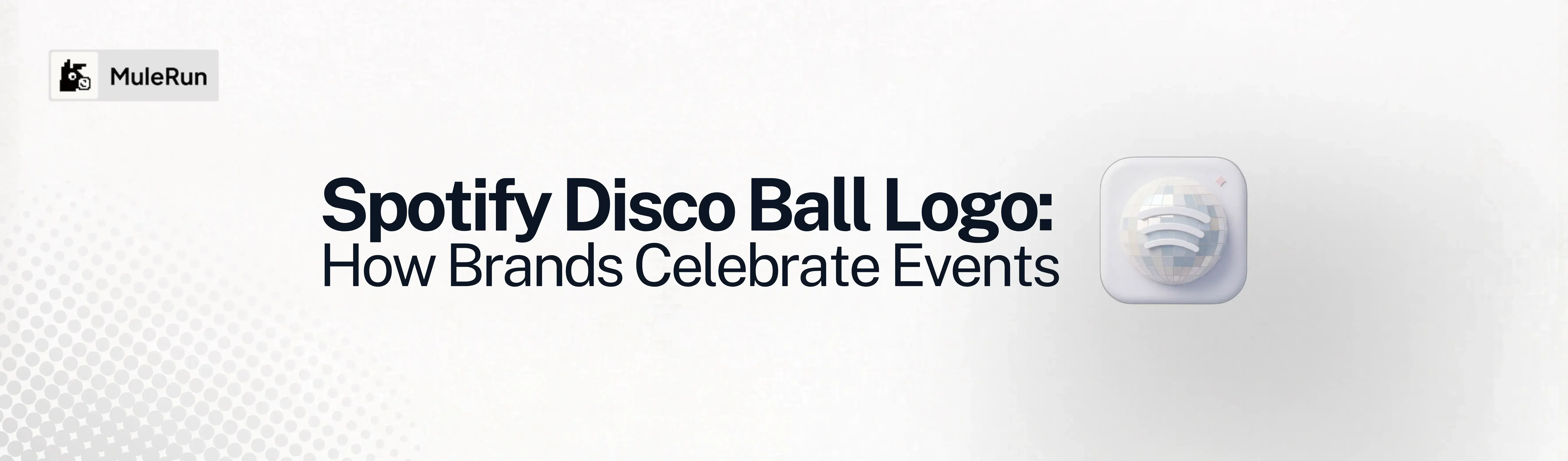
Spotify replaced its app icon with a glittering green disco ball to celebrate its 20th anniversary, and it became the most talked-about logo change of the month. The internet split between people who loved the flashy redesign and people who wanted it gone immediately. Spotify confirmed it was always temporary. The original icon returned within a week.
But the trend it kicked off is not temporary. Brands across industries are now experimenting with celebratory logo variants for anniversaries, product launches, and seasonal campaigns. ChatGPT, Notion, and KitKat have all run similar limited-edition logo treatments. The playbook is the same: take your existing mark, apply a visual transformation that signals celebration or novelty, release it for a limited window, and let the internet react.
The Disco Ball Logo template in MuleRun Chat does exactly this. Upload your logo and the template transforms it into a disco ball version with reflective facets, light scattering, and a polished 3D surface. The output is published as an interactive before-and-after comparison you can share directly.
Here is how the trend works, what makes it effective as a brand move, and how to generate a disco ball version of your own logo.
What Is the Disco Ball Logo Trend?
The disco ball logo trend is a design format where brands temporarily replace their standard logo with a faceted, reflective, disco ball version of the same mark. The treatment adds 3D depth, light reflections, and a glittering surface texture to the existing logo shape while keeping the silhouette and brand colors recognizable.
Spotify popularized the format in May 2026 when it swapped its familiar green circle icon for an emerald green disco ball variant as part of its 20th anniversary campaign. The redesign launched alongside “Spotify 20: Your Party of the Year,” a personalized retrospective feature similar to Spotify Wrapped that showed users their streaming history across two decades.
The logo change worked as a marketing tool for three reasons:
- Disruption on the home screen: users noticed the unfamiliar icon immediately, which drove them to open the app and discover the anniversary features
- Social media conversation: the polarizing design generated millions of impressions as users posted reactions, complaints, and memes about the new icon
- Temporary scarcity: announcing that the change was limited-time created urgency around the anniversary content before the original icon returned
The format is not new to branding. Google changes its logo for daily Doodles. Nike runs seasonal swoosh variants. What Spotify demonstrated is that even a controversial visual change drives engagement when it is clearly temporary and tied to a specific moment.
What Occasions Can You Transform Your Logo For?
Any calendar moment, cultural event, or brand milestone is an occasion to run a temporary logo transformation. The disco ball is one treatment. The same strategy applies to dozens of other visual styles, each tied to a specific occasion and audience.
Here are six occasions where a temporary logo change creates immediate relevance, with prompts you can paste directly into MuleRun Chat alongside your logo upload.
- Pride Month (June): brands swap their standard mark for a rainbow gradient or progress flag color treatment to signal allyship during Pride. The transformation works best when the brand commits to the full month rather than a single post
Transform my uploaded logo into a Pride Month version. Apply a smooth rainbow gradient across the entire logo surface using the Progress Pride flag colors (red, orange, yellow, green, blue, purple, plus black, brown, light blue, pink, and white chevron stripes). Keep the original logo shape and silhouette fully intact. Render on a clean white background with a subtle rainbow light reflection beneath the logo. High resolution, polished, modern.
- Christmas and holiday season (December): a festive logo variant signals seasonal warmth and works across social avatars, email signatures, and packaging. Red and green color shifts, snowflake textures, and metallic gold finishes are the most common treatments
Transform my uploaded logo into a Christmas holiday version. Make the logo look like it is crafted from shiny red and gold metallic material with a subtle frost or snow dusting on the top edges. Add tiny warm golden fairy lights loosely draped around or near the logo. Render on a dark forest green background with soft falling snowflakes. Festive, premium, editorial quality.
- Cinco de Mayo (May 5): a vibrant cultural celebration that works for food, beverage, and lifestyle brands. The visual language is bold color, papel picado patterns, and hand-painted texture
Transform my uploaded logo into a Cinco de Mayo celebration version. Render the logo as if it were hand-painted in bright traditional Mexican folk art colors (hot pink, turquoise, sunny yellow, lime green, deep orange). Surround the logo with delicate papel picado banner cutouts in matching colors. Add small scattered marigold flowers. Clean white background. Vibrant, festive, joyful.
- Purple Parade and disability awareness (various dates): purple is the global color of disability awareness. A purple-toned logo transformation for events like the Purple Parade, IDPWD (International Day of People with Disabilities), or awareness months shows visible support
Transform my uploaded logo into a Purple Parade disability awareness version. Recolor the entire logo in a rich, deep purple (#6A0DAD) with a subtle lavender glow around the edges. Give the logo a smooth matte-to-glossy gradient surface. Render on a clean white background with a faint purple light bloom behind the logo. Dignified, clean, modern.
- Earth Day (April 22): environmental positioning through a nature-reclaimed logo treatment. The visual language is organic growth, green materials, and natural textures
Transform my uploaded logo into an Earth Day version. Make the logo look like it is made entirely of living green moss, small ferns, and tiny wildflowers growing across its surface. Add rich dark soil visible in the crevices between letterforms. Place the logo on a clean white background with a natural shadow beneath. Macro photography detail, photorealistic, organic.
- National Day or Independence Day (various dates): patriotic logo treatments work for local businesses, government-aligned brands, and any company running a national day campaign. Adapt the colors to match the relevant flag
Transform my uploaded logo into a patriotic national day version using [YOUR COUNTRY] flag colors. Render the logo as a glossy metallic 3D sculpture with the flag colors applied as bands or gradients across the surface. Add subtle reflections and a clean white background. Bold, proud, high quality.
Each prompt works as a standalone instruction. Upload your logo to MuleRun Chat, paste the prompt, and the transformation generates in one pass. No template required for these. The Disco Ball Logo template is purpose-built for the Spotify-style celebratory treatment specifically.
How Do You Create a Disco Ball Logo With AI?
You create a disco ball logo with AI by uploading your existing logo to the Disco Ball Logo template in MuleRun Chat. The template transforms the flat logo into a 3D disco ball version with reflective facets, specular highlights, and light scattering, then publishes the result as an interactive before-and-after comparison.
The output is not a flat filter applied on top of your image. The template treats the logo as a 3D sculptural object and renders it with physical material properties: the facets catch and redirect light, the surface shows gradient reflections, and the overall form reads as a real disco ball shaped into your brand mark.
The workflow is three steps:
- Open the Disco Ball Logo template in MuleRun Chat
- Upload your logo as a PNG or SVG on a clean background
- The template generates the disco ball transformation and publishes it as a shareable before-and-after page
The published output uses an interactive slider so viewers can drag between the original logo and the disco ball version. This format works well for social media announcements, internal brand presentations, and anniversary campaign teasers.
For best results, upload a logo with a clear silhouette and strong contrast. Logos with fine text or thin line details may lose legibility in the faceted transformation. Bold marks, icons, and monograms produce the most dramatic disco ball renders.
Why Do Temporary Logo Changes Work as Marketing?
Temporary logo changes work as marketing because they exploit pattern interruption on surfaces where users have developed visual autopilot. A phone home screen, a browser tab, a product shelf. People stop noticing things they see every day. A changed logo forces them to notice again.
The psychology is straightforward:
- Pattern break: the human visual system is tuned to detect changes in familiar environments. A different app icon on a home screen triggers the same attention response as a new object in a physical space
- Loss aversion: announcing the change as temporary activates loss aversion. Users engage with the anniversary content or limited feature because they know the window is closing
- Social proof through reaction: controversial design choices generate more social sharing than safe ones. Spotify’s disco ball icon generated more impressions from people complaining about it than any paid campaign would have achieved
- Brand personality signal: a brand willing to temporarily break its own visual identity demonstrates confidence and playfulness. It signals that the brand is secure enough in its recognition to experiment without losing its audience
This is why the format works for brands of any size, not just Spotify-scale companies. A local business changing its social media avatar to a disco ball version for an anniversary week creates the same pattern interruption at the scale of its own audience. The mechanism is identical.
The Disco Ball Logo template in MuleRun Chat makes this accessible without hiring a designer. Generate the transformation, download the before-and-after comparison, and deploy it across your social profiles and app icon for whatever duration you choose.
How Do You Use a Disco Ball Logo for a Brand Anniversary?
You use a disco ball logo for a brand anniversary by generating the transformation before your anniversary date, then deploying it across all brand touchpoints simultaneously for a defined window. The visual change becomes the announcement.
The deployment sequence:
- Generate the transformation: upload your logo to the Disco Ball Logo template and download the output. Save both the standalone disco ball version and the before-and-after comparison
- Set the window: decide on the duration. Spotify ran one week. Most brands run three to seven days. Shorter windows create more urgency
- Deploy across touchpoints: swap your app icon, social media avatars, email signature, website favicon, and any other surfaces where your logo appears. Simultaneous deployment across all channels maximizes the pattern interruption
- Announce the occasion: post the before-and-after comparison on social media with a caption explaining the anniversary. The visual does the heavy lifting. Keep the copy minimal
- Revert on schedule: return to the original logo at the announced time. The reversion itself becomes a second touchpoint as audiences notice the change back
The interactive before-and-after page from the template works as the primary social asset. Share the link directly and viewers can drag the slider to see both versions without any additional design work.
Start Building
Sign up for free credits and turn your logo into a disco ball from one upload.
Frequently Asked Questions
Does This Work With Any Logo Shape?
Bold marks, icons, lettermarks, and monograms produce the strongest disco ball transformations. Logos with fine serif text, thin line details, or very complex illustrations may lose some detail in the faceted rendering. Simple, high-contrast logos work best.
What File Format Should You Upload?
PNG with a transparent or white background produces the cleanest transformation. SVG works as well. Avoid JPEGs with compression artifacts or logos on busy backgrounds, as these introduce noise into the rendered output.
Is the Disco Ball Effect Permanent or Editable?
The output is a static rendered image published as an interactive before-and-after page. You can download the disco ball version separately and use it anywhere. The original logo is not modified. You control when and where the disco ball version appears.
Can You Apply Other Material Transformations Beyond Disco Ball?
Yes. MuleRun Chat has templates for moss, crystal glass, neon, and brushed metal logo transformations. The disco ball template is one variant in a broader set of 3D logo render styles, each producing a different material treatment from the same logo upload.
What Resolution Does the Output Render At?
The template produces high-resolution output suitable for social media, app icons, and web use. For print-resolution needs, specify the desired dimensions in a follow-up message within the same chat session. MuleRun Chat uses GPT Image 2 for the rendering, which supports high-fidelity output at multiple resolutions.