
A game designer sat down and wrote a 3,000-word game design document for a cozy princess dress-up game. Every skin tone, hairstyle, outfit, accessory, and makeup slider was specified in meticulous detail. Then they pasted the entire document into MuleRun Chat. Minutes later, the game was live.
MuleRun Chat is where you describe what you want and an AI agent builds it. The designer described a full princess clothes game, and the agent wrote the code, generated the character art, and deployed it to a shareable URL.
Here is the real question, though: can you build a better one? This blog walks through what the game looks like, how it was made, and how you can create your own princess dress up online for free.
What Does This Princess Dress-Up Game Look Like?
Play the finished game, Dreamy Dress-Up now.
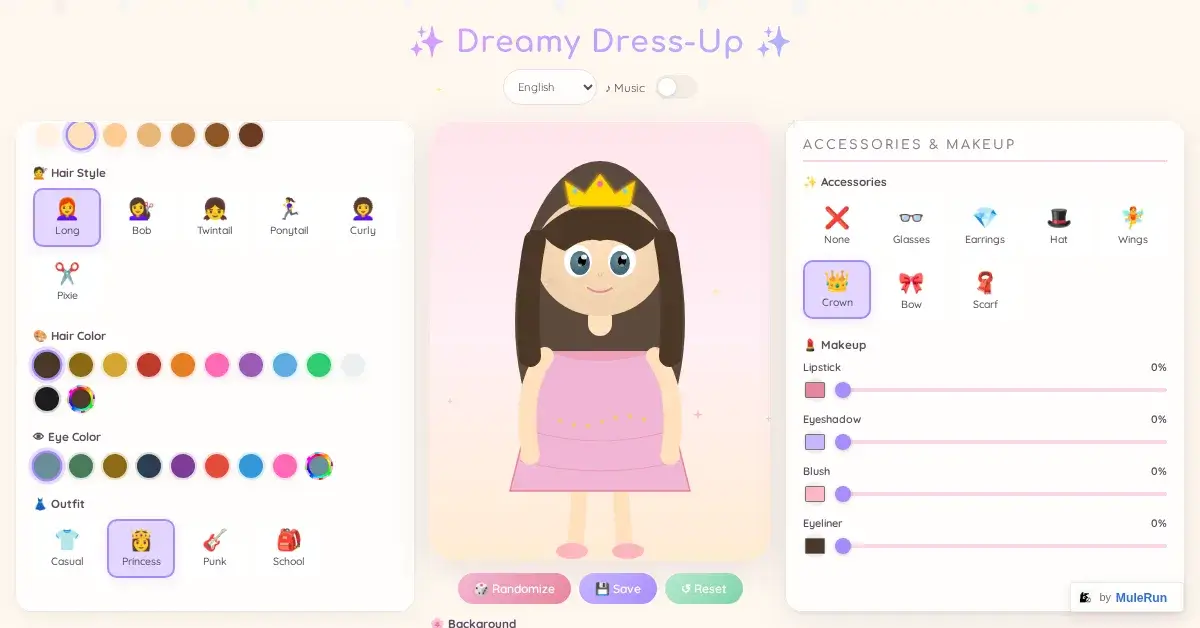
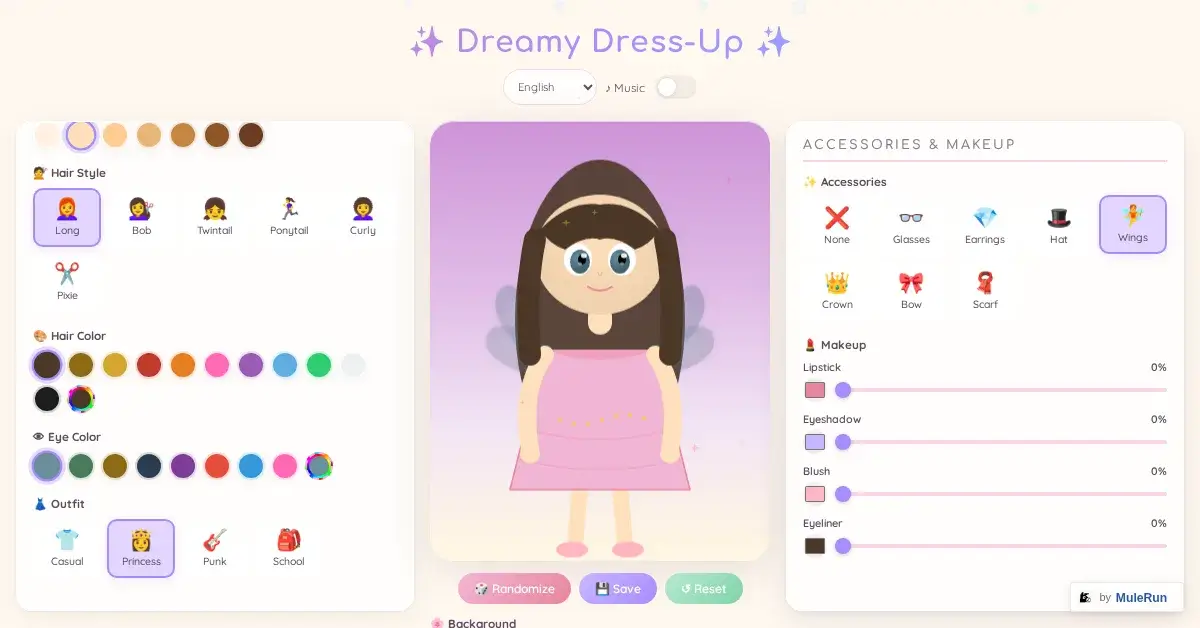
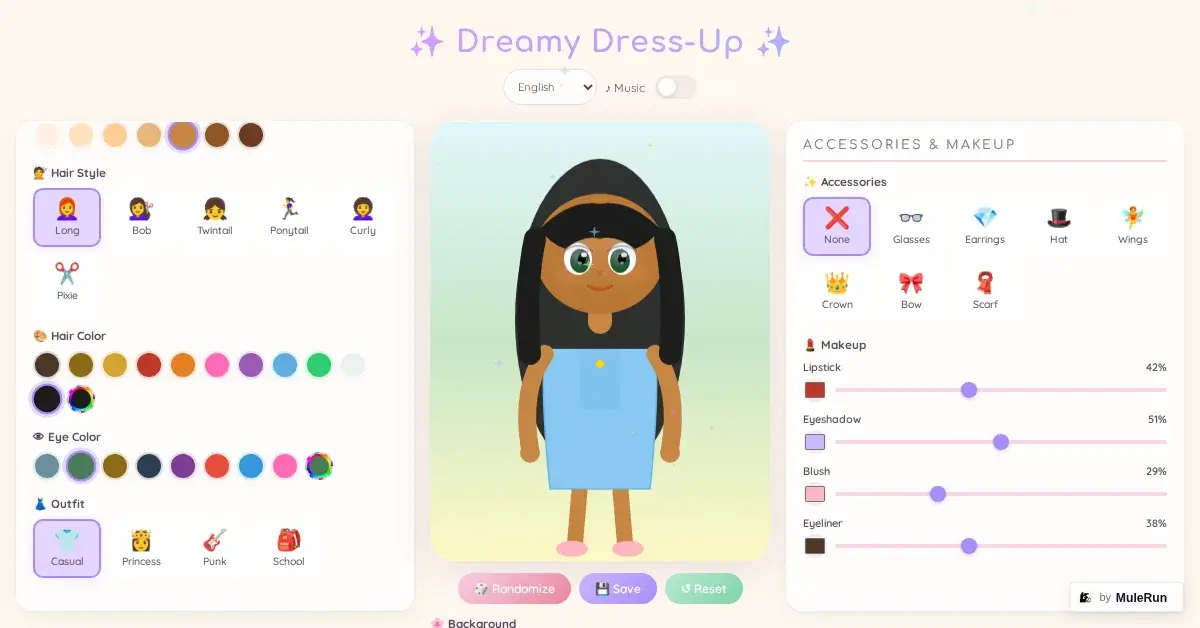
Dreamy Dress-Up is a browser-based dress up game with a three-panel layout. The left panel holds character customization options, the center displays your character in real time, and the right panel controls accessories and makeup. Everything runs in the browser with no downloads or sign-ups required.
Here is what you can customize:
- Skin tone: 7 options ranging from light to deep
- Hair style: 6 choices including Long, Bob, Twintail, Ponytail, Curly, and Pixie
- Hair color: 14+ colors including natural browns, blacks, and fantasy shades like blue, green, and pink
- Eye color: 12+ options from emerald green to deep brown to bright pink
- Outfit: 4 categories: Casual, Princess, Punk, and School
- Accessories: 8 options: None, Glasses, Earrings, Hat, Wings, Crown, Bow, and Scarf
- Makeup: 4 sliders for Lipstick, Eyeshadow, Blush, and Eyeliner, each adjustable from 0% to 100%
- Background: 5 scenes: Bedroom, Garden, Beach, Castle, and Starry
- Saved outfits: 6 slots to save and recall your favorite looks
Use the Randomize button to generate a surprise combination, the Save button to store a look you like, or the Reset button to start fresh. Toggle background music on or off with the Music switch at the top.
How A No-Code AI Agent Developed The Game
The designer behind Dreamy Dress-Up wrote a comprehensive game design document. This was not a vague prompt. It was a structured technical specification covering every element of the game.
The document included:
- Character configuration dictionaries: each skin tone, hair style, and outfit defined with unique IDs, display names, and image path references
- Color palettes: exact hex values for every hair color and eye color option
- Clothing categories: Casual, Princess, Punk, and School outfits with layering rules for how they render on the character
- Accessory positioning: coordinates and z-index values for glasses, crowns, wings, and other items
- Makeup opacity system: blush, lipstick, eyeshadow, and eyeliner each controlled by percentage sliders that adjust layer opacity
- UI layout specifications: three-panel design with responsive behavior, button placement, and save-slot functionality
The designer pasted this entire document into a single MuleRun Chat message. The AI agent read the specification, wrote the HTML, CSS, and JavaScript, generated the character art assets, and deployed the finished game to a live URL on mule.page.
The key takeaway: the more detail you provide, the better the result. A one-sentence prompt produces a basic prototype. A 3,000-word design document with dictionaries, hex codes, and layout specs produces a polished, playable princess clothes game.
Can You Build a Better Princess Dress-Up Game?
Dreamy Dress-Up is a strong starting point, but there is room to go further. If you enjoy dress up games and want to create one that stands out among games for girls online, consider these improvements:
- More outfit categories: add formal gowns, sportswear, fantasy armor, and seasonal holiday costumes to expand beyond the current four options
- Animated transitions: make outfit changes feel alive with fade-ins, sparkle effects, or a spinning animation when the character swaps clothes
- Expanded hairstyles with custom color pickers: replace fixed color swatches with a full color wheel so players can mix any shade they imagine
- A sharing feature: let players export their character as an image or share a link that loads their saved look for friends to see
- A runway or fashion show mode: create a catwalk scene where the character walks and poses, turning the dress-up session into a mini fashion game
You do not need to write code to build any of this. Open MuleRun Chat, describe what you want in detail, and the AI agent handles the rest. Below are three sample prompts you can paste directly to get started.
Sample Prompt 1: Expanded Wardrobe Princess Game
“Build a princess dress-up game with a pastel color scheme and a center character display. Include these outfit categories: Casual (jeans, t-shirts, sneakers), Princess (ball gowns, tiaras, glass slippers), Fantasy (armor, capes, enchanted staffs), Formal (cocktail dresses, heels, clutch purses), and Seasonal (winter coat with fur trim, summer sundress, autumn sweater, spring floral dress). Each category should have at least 3 full outfits. Add a hair customization panel with 10 styles and a full RGB color picker. Include 5 background scenes: royal ballroom, enchanted forest, beach sunset, snowy mountain, and flower garden.”
Sample Prompt 2: Animated Fashion Show Game
“Create an interactive princess dress up online game where the character walks down a runway after each outfit change. The runway scene should have a pink carpet, camera flash effects, and a cheering crowd in the background. Include 6 outfit slots, a randomize button, and sparkle transition animations when switching clothes. Add a screenshot button that captures the character mid-pose and downloads it as a PNG. The character should have customizable skin tone (8 options), hair (8 styles with 20 color choices), eyes (10 colors), makeup (lipstick, blush, eyeshadow with intensity sliders), and 10 accessory options.”
Sample Prompt 3: Multiplayer Dress-Up Challenge
“Build a two-player princess clothes game where each player customizes a character side by side. Include a challenge mode: both players receive a random theme (Royal Wedding, Beach Party, Red Carpet, Fantasy Quest) and have 60 seconds to dress their character to match the theme. After the timer ends, display both characters together on a split screen for comparison. Include a voting button so each player can pick a winner. Each character should have: 7 skin tones, 8 hair styles, full color picker for hair, 12 eye colors, 5 outfit categories with 3 outfits each, 10 accessories, and 4 makeup sliders.”
Notice how each prompt specifies exact numbers, categories, and behaviors. That level of detail is what transforms a generic request into a fully realized game, just like the original designer’s 3,000-word document did for Dreamy Dress-Up.
What Makes MuleRun Chat Different From Other AI Game Makers?
Traditional no code app builder platforms give you drag-and-drop templates. MuleRun Chat gives you an AI agent that reads your description and builds the entire application from scratch. Here is how that difference plays out in practice:
- Natural language input: describe your game in plain English or any language, including Chinese, and the agent interprets your intent without requiring you to learn a visual editor or template system
- Full code generation: the agent writes HTML, CSS, and JavaScript from your description, so you get a custom codebase rather than a locked template you cannot modify
- Asset creation included: character art, backgrounds, and UI elements are generated as part of the build, not sourced separately from a stock library
- Instant deployment: your game goes live on a mule.page URL immediately after building, with no manual hosting setup or domain configuration required
- Iterative refinement: send follow-up messages to add features, fix details, or expand content, and the agent updates the live game in place
The Dreamy Dress-Up game was built entirely through this process. One detailed message in, one playable game out.
How You Can Start Building Your Princess Clothes Game
You have seen what Dreamy Dress-Up looks like and how a game designer built it with a single detailed message. You have three sample prompts ready to paste. Now it is your turn.
Have an idea for a princess dress-up game? Open MuleRun Chat, describe it, and get started now.
Explore more use cases and see what others have built at mulerun.com/use-cases.