Run a complete SEO content audit in minutes. MuleRun Chat analyzes your pages, finds keyword gaps, and generates actionable reports. Try it free.
Your website has 200 pages. Some rank well. Most do not. A few may even hurt your search performance. You know an SEO content audit would surface the problems, but the traditional process takes days of crawling, spreadsheet work, and manual analysis before you have anything actionable.
MuleRun Chat changes that workflow. Describe what you need analyzed, paste your URLs, and MuleRun Chat runs an SEO audit that covers content quality, keyword gaps, and competitive positioning, then delivers the results in a structured report you can act on immediately.
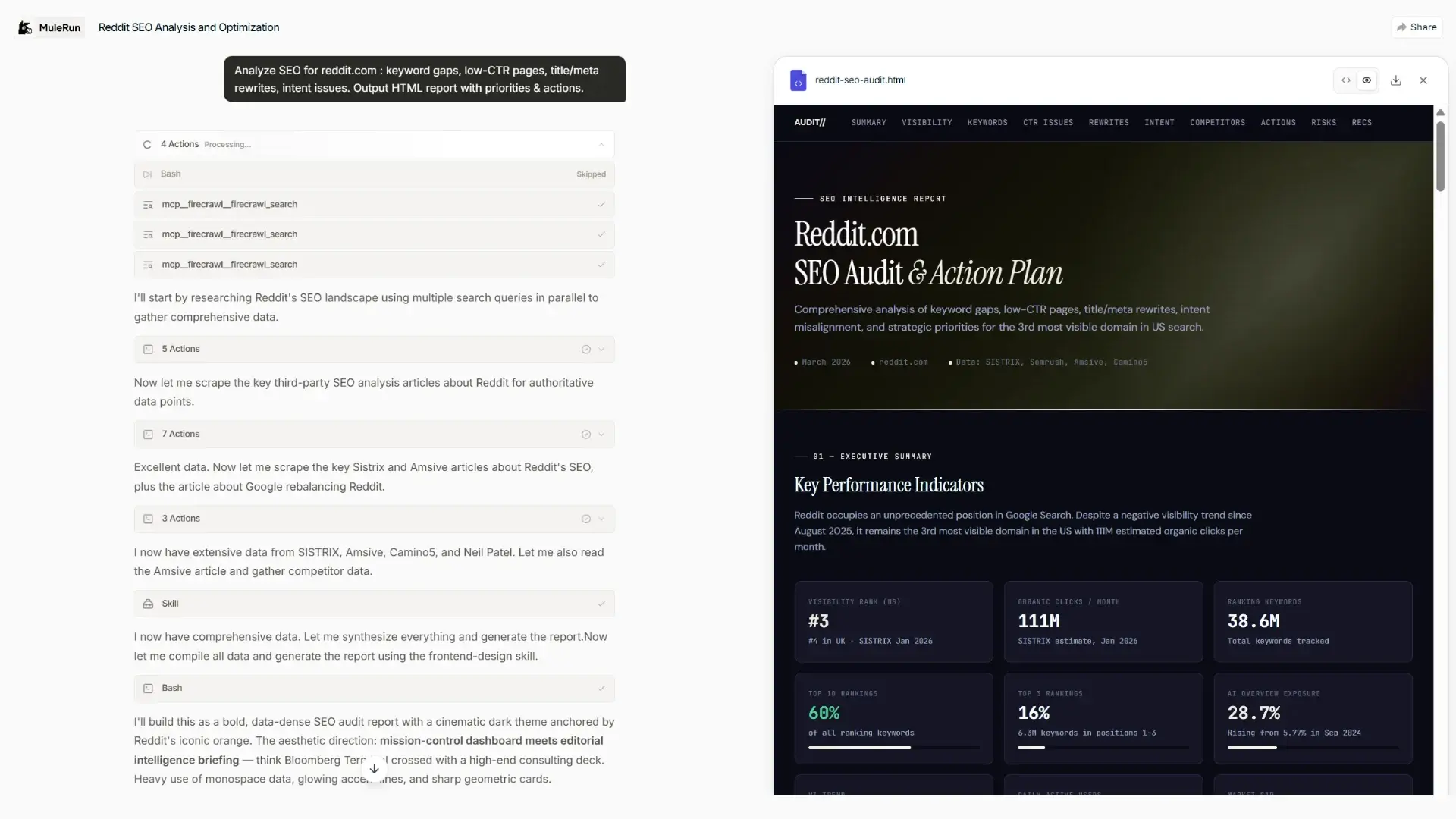
This guide shows you how to do a website audit with MuleRun Chat, from single-page content reviews to ecommerce SEO audits across product pages in batches. It also shows how to turn those findings into automated SEO reports for your team or clients.
What Is an SEO Content Audit and Why Does It Matter?
An SEO content audit is a systematic review of your site’s pages to evaluate how well each one supports your search visibility goals. It answers three core questions: which pages perform well, which pages underperform, and which topics or page types are missing entirely.
Google’s Search Quality Evaluator Guidelines emphasize Experience, Expertise, Authoritativeness, and Trustworthiness, or E-E-A-T. An SEO content audit helps you identify whether your pages reflect those standards or fall short.
For a mid-sized site, the traditional process can take 8–20 hours: crawl the site, pull traffic data from Search Console, export rankings from SEMrush, organize everything in a spreadsheet, write recommendations, and compile a report. MuleRun Chat compresses that workflow into a single conversation.
How to Conduct a Website Audit With MuleRun Chat
Our SEO Audit Report Generator template works as an LLM SEO tool that reads your content, evaluates it against SEO best practices, and returns structured findings from a simple prompt. You do not need to install anything, configure a crawler, or connect API keys.
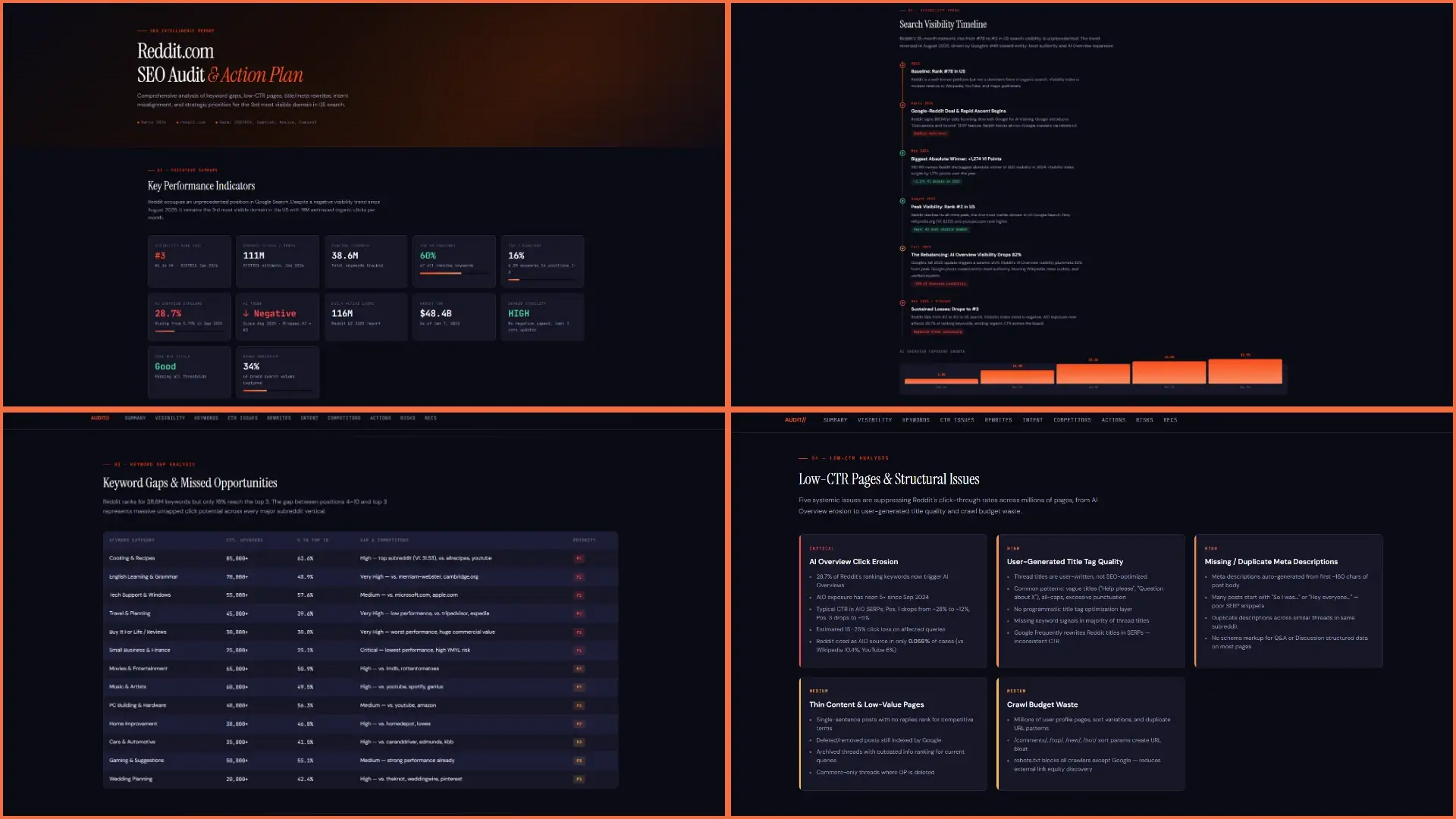
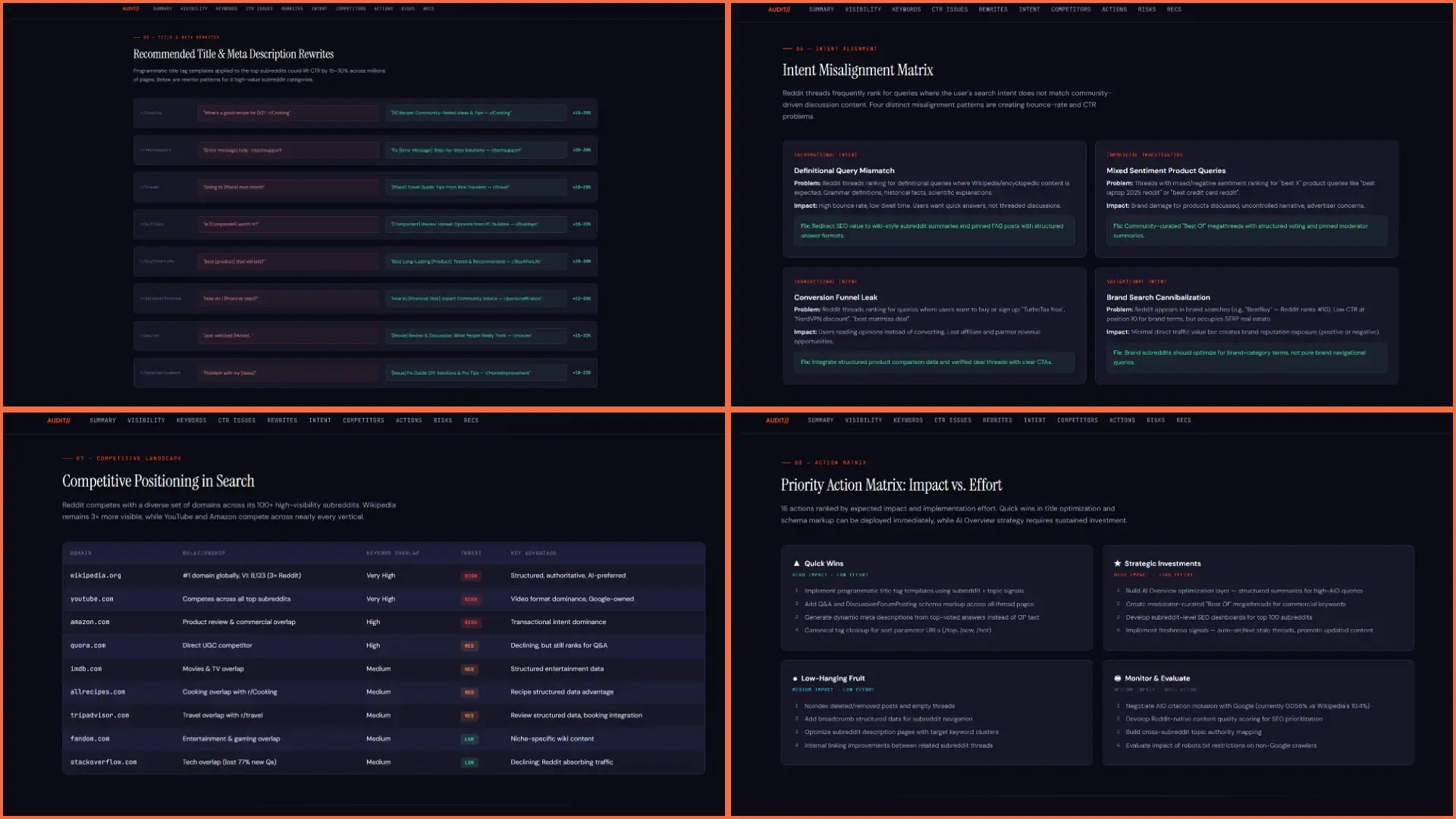
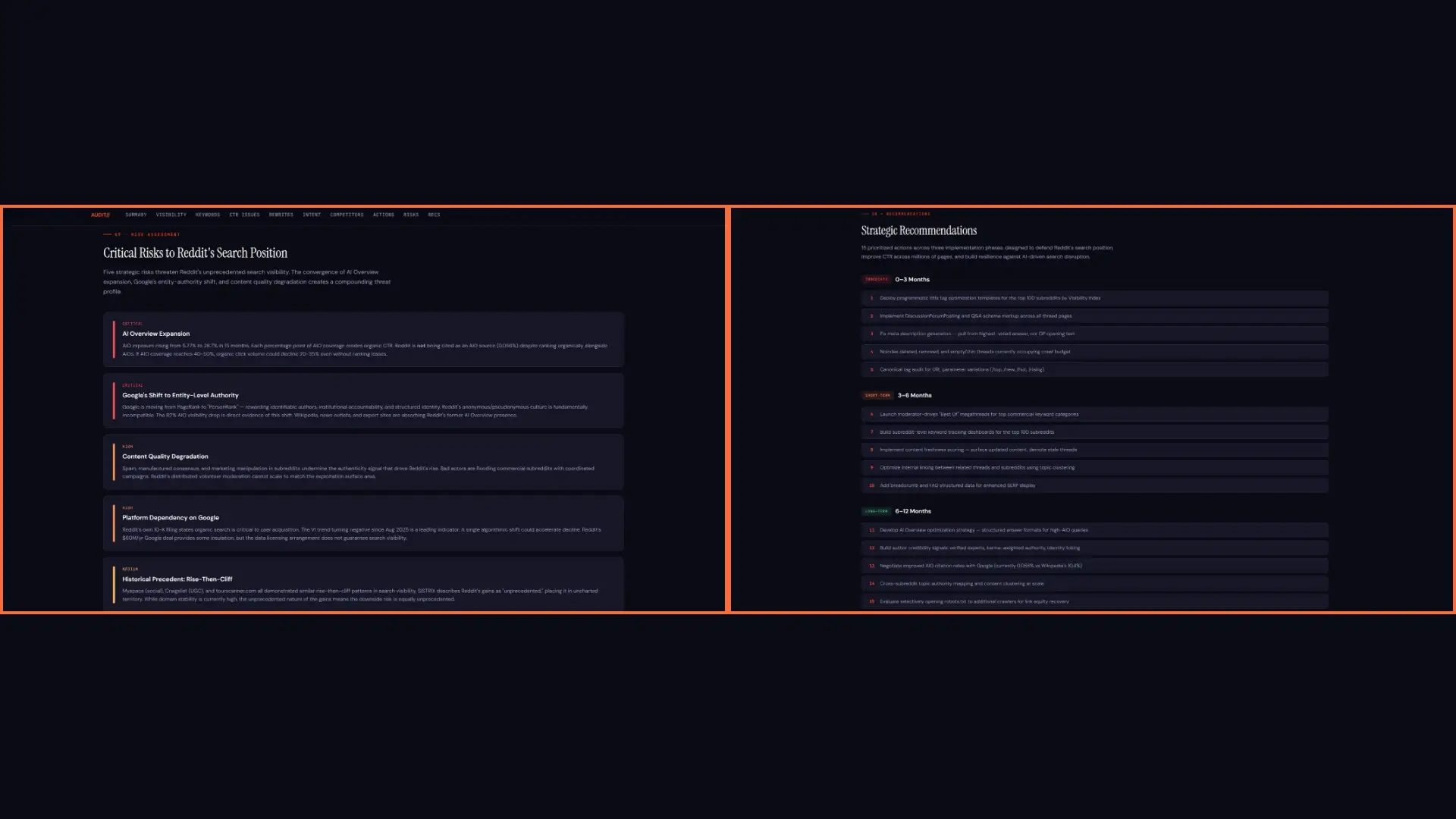
View the generated HTML here.
Here is the basic workflow:
- Open MuleRun Chat and describe what you want audited, or use the above-mentioned template
- Paste the URLs you want analyzed, or provide your sitemap URL for broader coverage
- MuleRun Chat reviews each page, evaluates content quality, checks meta tags, analyzes heading structure, and identifies keyword opportunities
- Review the results, where each page gets a summary with clear issues and recommendations.
- Ask follow-up questions or request the findings in a report format.
A prompt like this works well for a focused site analysis:
“Audit these 5 blog pages for SEO content quality. For each page, evaluate: title tag and meta description optimization, heading structure (H1/H2/H3), keyword targeting, content depth, internal linking, and readability. Flag any issues and rank each page as strong, needs improvement, or weak.”
MuleRun Chat returns a page-by-page breakdown with specific, actionable findings rather than generic advice like “add more keywords.
How MuleRun Chat Runs a Site Analysis
MuleRun Chat is built on a skills system that extends its capabilities with specialized instructions for different tasks. When you ask MuleRun Chat to analyze a website, it uses the relevant skills to review your pages and organize the findings into a usable audit.
In practice, the process looks like this:
- MuleRun Chat reads the page content, including visible copy, meta information, and heading structure.
- It evaluates the pages against SEO best practices, such as keyword targeting, content depth, internal linking, and structural clarity.
- It identifies recurring patterns across pages, such as duplicate meta descriptions, thin content, or weak topic coverage.
- It returns structured findings with specific recommendations based on what it found on your site.
The main advantage is that the analysis stays grounded in the actual pages you provide. You can then ask follow-up questions about individual URLs, request deeper analysis for one section of the site, or turn the results into a more formal report.
For performance metrics like page speed and Core Web Vitals, use Google PageSpeed Insights alongside MuleRun Chat. MuleRun Chat handles the content and structure layer, while dedicated performance tools handle speed diagnostics.
How Does an LLM SEO Tool Compare to Traditional SEO Audit Software?
Traditional SEO audit tools such as Screaming Frog, Ahrefs Site Audit, and SEMrush Site Audit are crawlers. They are excellent at finding technical issues like broken links, missing alt text, slow pages, and redirect chains.
Their limitation is that they read structure, not meaning. A crawler can tell you a page has 400 words, but it cannot tell you whether those 400 words fully address the topic or whether a competitor outranks you because their page better matches search intent.
That is where an LLM SEO tool is different. MuleRun Chat can interpret content quality, detect weak topic coverage, and identify missed keyword opportunities in a way that feels closer to a human review.
- Crawlers find technical problems such as broken links, missing tags, slow pages.
- LLM tools find content problems like thin coverage, keyword gaps, weak structure, and missed search intent.
- The strongest workflow uses both, a crawler for technical health and MuleRun Chat for content quality and SEO gap analysis
If you are comparing the best LLM SEO analysis software, that distinction matters. A useful tool should not just score pages; it should explain what to fix and why it matters.
How to Run an Ecommerce SEO Audit With AI
Ecommerce sites bring a different set of SEO challenges. Product pages can number in the hundreds or thousands, category pages can compete with each other, and faceted navigation can create duplicate or overlapping content.
MuleRun Chat is especially useful for ecommerce SEO audit tasks that require content judgment, not just HTML checks:
- Product description quality: Identify pages using copied manufacturer descriptions
- Category page optimization: Assess whether category pages target the right terms and include enough supporting copy
- Keyword cannibalization: Find cases where multiple pages target the same keyword
- Schema markup: Verify whether product pages include key elements such as price, availability, and reviews
For large catalogs, work in batches. Start with your highest-traffic category pages, then move to long-tail product pages where incremental improvements can scale across the site.
Why MuleRun Chat Is the Best Tool for SEO Content Audits
The real bottleneck in SEO has never been access to data. It is the time required to interpret that data, decide what to fix first, and communicate the findings clearly.
That is where MuleRun Chat is most useful:
- Speed: Audit pages in minutes instead of hours
- Flexibility: Review a single page, a section, or an entire site
- Context-aware analysis: Evaluate content meaning, not just HTML structure.
- Report generation: Create automated SEO reports in the same workflow as the audit
- Low setup: Start with URLs and prompts instead of a complicated tool stack.
Whether you run a personal blog, manage an ecommerce store, or prepare SEO reports for clients, MuleRun Chat helps reduce the manual work between raw data and action.
Ready to see what is actually holding your rankings back? Skip the manual analysis and let MuleRun Chat pinpoint your content gaps instantly. Sign up free to turn your pages into a clear, actionable SEO report right now.