You have a game idea. A quick quiz for your students, a branded distraction for your website visitors, a casual prototype to pitch to a client. You know what it should feel like. You just do not know how to make a game.
The obvious move is to ask ChatGPT. And it will help, but only up to a point. Understanding exactly where that point is, and what happens after it, is what separates a game idea that stays in your head from one that becomes a live, shareable URL. This is where MuleRun Chat steps in, acting as an AI game maker that bypasses the code-copying phase and turns your prompt directly into a playable browser game.
What Happens When You Use ChatGPT as an AI Game Developer?
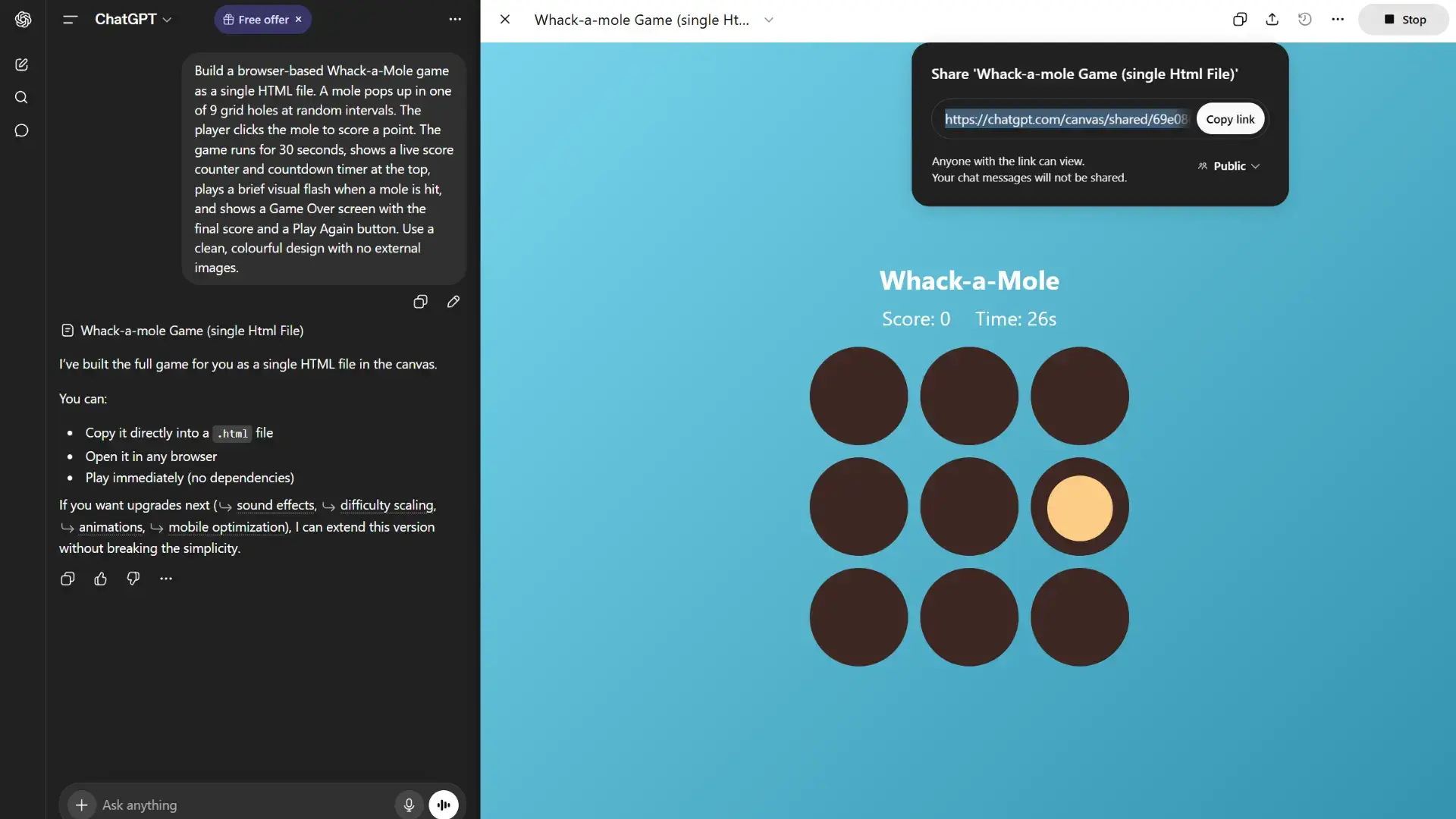
ChatGPT can generate a playable browser game. Using its Canvas feature, it can even add a preview panel and a shareable link, so dismissing it entirely would be inaccurate. But in our tests, something consistent happened after the initial build: ChatGPT handed the initiative back to the user.
After building a Whack-a-Mole game from a prompt, ChatGPT responded with this:
“You can: Copy it directly into a .html file / Open it in any browser / Play immediately (no dependencies). If you want upgrades next — sound effects, difficulty scaling, animations — I can extend this version without breaking the simplicity.”
That response describes your next steps and offers options to choose from. ChatGPT is a skilled collaborator, but a passive one. It produces an output and waits. Depending on the ChatGPT plan and interface you use, you may still need extra steps after generation to turn the output into a standalone hosted game. The shared Canvas result remains part of ChatGPT’s sharing environment, rather than a dedicated site domain.
The gap between what ChatGPT delivers and a finished, shareable project often requires human decision-making and manual action.
How Do You Make Your Own Game With MuleRun Chat?
MuleRun Chat is not just a code generator. It is an AI agent that handles the build, preview, and deployment workflow for simple browser games from a single prompt, code and a shareable URL included.
Here is the full process from your side:
- Type your game idea in plain language inside MuleRun Chat.
- MuleRun Chat builds the game — writing the HTML, CSS, and JavaScript as a complete, working file.
- Your game is deployed to a live
.mule.pageURL automatically. - Share the link — anyone can open and play it in any browser, no installation required.
The whole process takes minutes. You never see a line of code unless you want to. And if you want changes like a different colour scheme, an extra life mechanic or a new level, ask in the same conversation and the game updates immediately.
Same Prompt, Two Very Different Games Developed
To make the comparison concrete, here is the same prompt run on both tools.
The prompt: “Build a browser-based Whack-a-Mole game. A mole pops up in one of 9 grid holes at random intervals. The player clicks the mole to score a point. The game runs for 30 seconds with a live score counter and countdown timer. Show a brief flash when a mole is hit. Include a Game Over screen with the final score and a Play Again button. Clean, colourful design, no external images.”
ChatGPT
MuleRun Chat
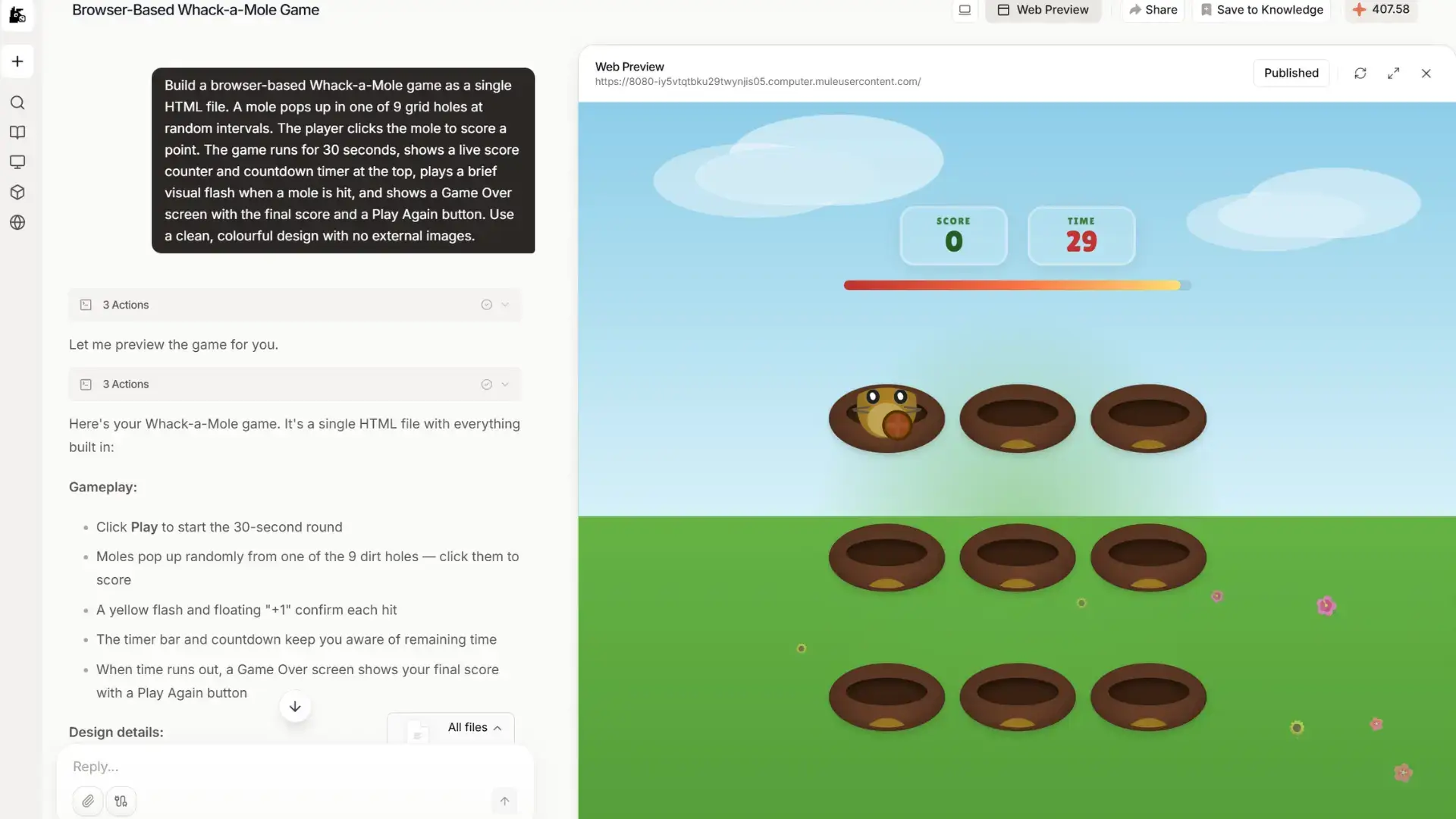
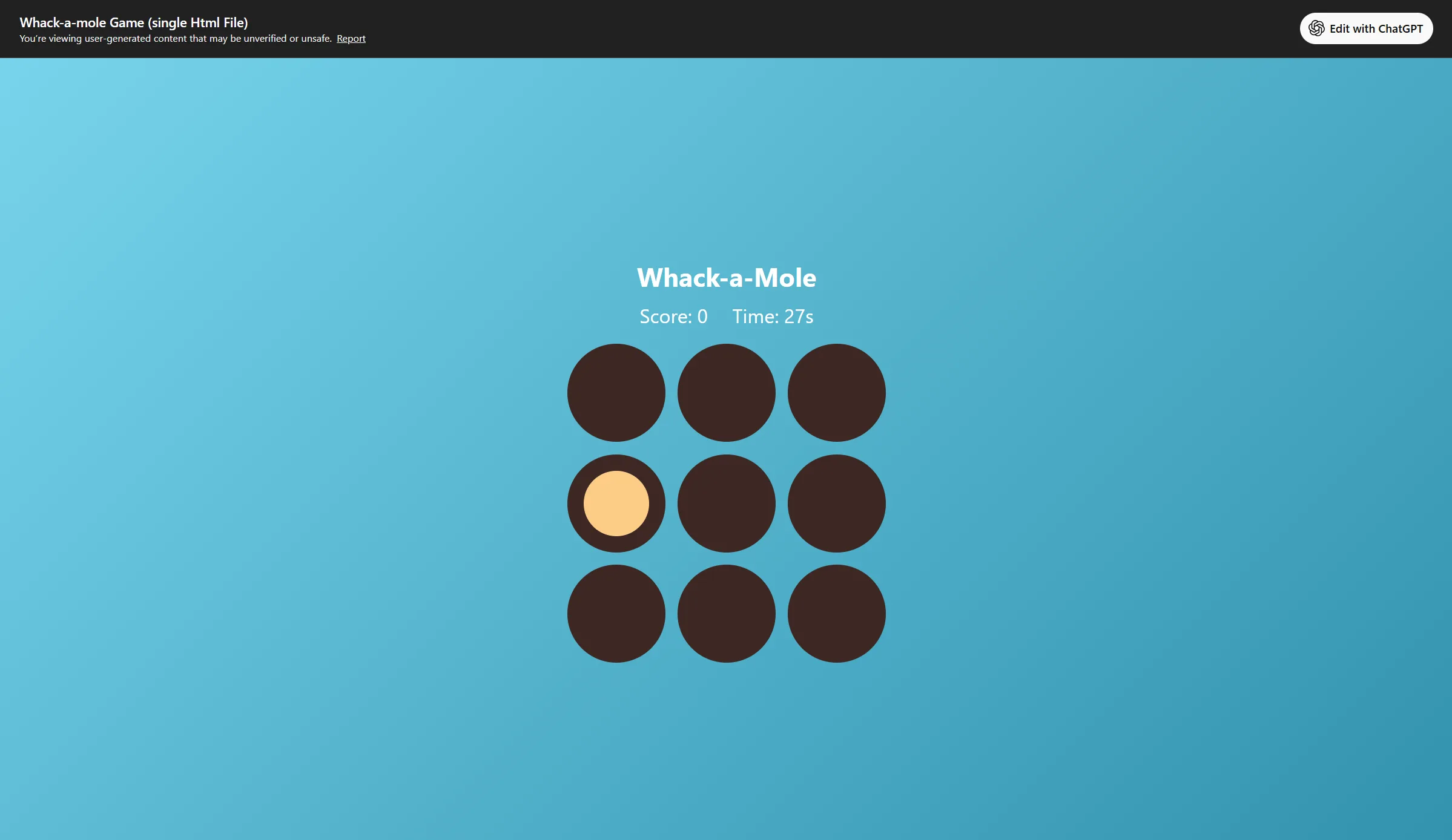
In our test, the design quality told a distinct story. The Whack-a-Mole prompt on ChatGPT produced a clean but minimal interface: dark circles on a flat teal background with plain score text. On MuleRun Chat, the exact same prompt produced an illustrated mole character, a sky-and-grass background, a countdown timer bar that shifted from green to red, and animated hit feedback.
The distinction is what the AI expects you to do with what it builds. ChatGPT is an assistant that waits for your direction. MuleRun Chat is an interactive AI agent that takes the next step before you have to ask for it, automatically deploying the app and opening the live Web Preview.
Try It Yourself: Make A Game in One Prompt
The Whack-a-Mole text above is the most credit-efficient game prompt you can run on MuleRun Chat. It generates a single HTML file with no external dependencies, no APIs, and no document parsing—fast to build, low on credits, and playable immediately.
Simply copy the prompt from the section above into MuleRun Chat. When it finishes, you will have a live URL. Open it and see how the game works. Congratulations — you just made a game. Share it with your friends!
What Types of AI Games Can You Build?
Whack-a-Mole is an extremely simplified example. Here are other game types that work well as single-prompt projects on MuleRun Chat, with sample prompts to get you started.
Trivia Quiz Game
Sample prompt: “Build a browser-based trivia quiz game with 10 multiple choice questions about world geography. Show one question at a time, highlight correct and incorrect answers after each selection, track the score throughout, and show a results screen at the end with the score and a Play Again button.”
Great for teachers, event hosts, team-building sessions, or anyone who wants an instant interactive quiz without building a Google form.
Memory Card Game
Sample prompt: “Build a browser-based memory card matching game with 16 cards (8 pairs) using emoji as card faces. Cards start face-down. The player flips two at a time — matched pairs stay revealed, unmatched pairs flip back. Track the number of moves and show a congratulations screen when all pairs are matched.”
Clean, simple, highly replayable. Works well for children’s learning tools or casual browser entertainment.
Interactive AI Typing Test
Sample prompt: “Build a browser-based typing speed test game. Display a random sentence and start a 60-second countdown when the player begins typing. Highlight correct letters in green and incorrect letters in red as they type. Show words per minute (WPM) and accuracy percentage on the results screen with a Try Again button.”
Useful for productivity tools, training platforms, or anyone who wants to track their typing improvement.
Action Games
Sample prompt:“Build a browser-based endless runner game where a character automatically runs and the player presses the spacebar to jump over obstacles. Include increasing difficulty over time, a live score counter, a high score tracker, and a Game Over screen with a restart option. Use a clean pixel-art style with no external images.”
One of the most recognisable casual game formats and MuleRun Chat works as an action game maker that builds it in minutes. Fast to build, immediately fun to share.
Why Use MuleRun Chat for AI Game Development?
The defining difference between MuleRun Chat and every other option in this category comes down to one thing: where the process ends for you.
- End-to-end execution: one conversation takes you from idea to live game.
- Zero configuration: no templates to set up, no drag-and-drop editors to learn.
- Conversational iteration: ask for changes in the same chat window and the game updates.
- No coding knowledge needed: the entire process runs on plain language.
Have a game idea? Open MuleRun Chat, describe it, and watch it build. Sign up for free to start building today.