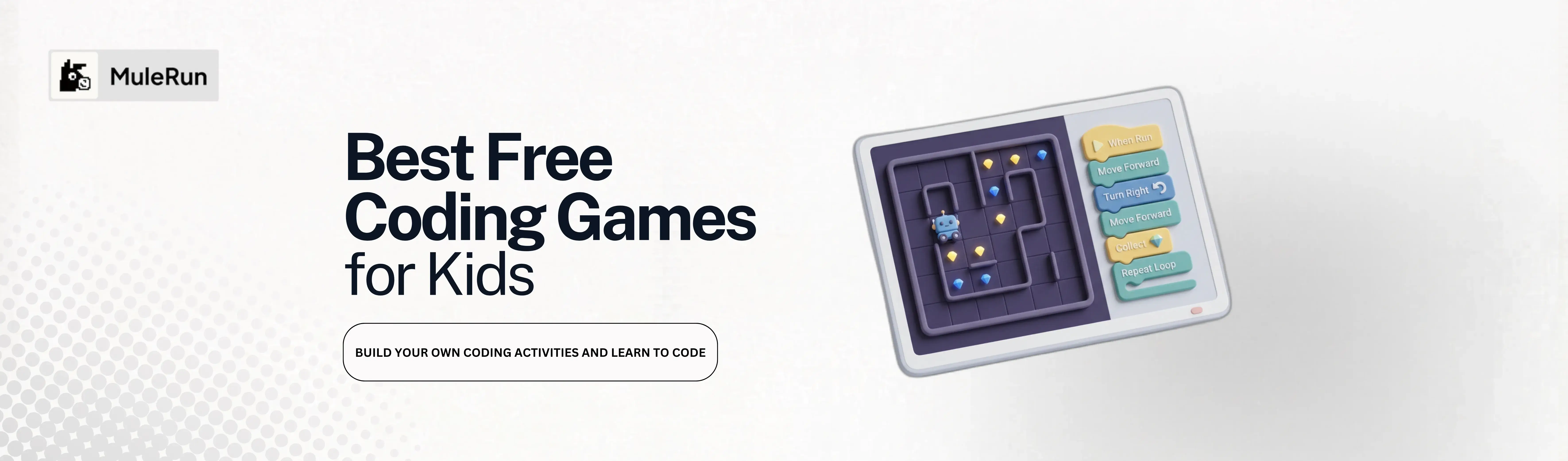
An eight-year-old drags a green “Move Forward” block into a sequence, taps play, and watches a robot collect three gems across a zigzag garden. No syntax errors, no terminal windows, no frustration. Just a puzzle solved with logic, and a badge earned for getting it right.
The best coding games for kids work exactly like this. They replace text-based programming with visual blocks that children snap together to control characters, solve mazes, and unlock new worlds. Every level teaches a real programming concept: sequencing, loops, conditionals, variables, and debugging.
Parents and teachers searching for coding activities for kids can now go further than picking from a fixed catalog. MuleRun Chat lets you describe a coding game in plain language, then generates a fully interactive page your child or classroom can play immediately. You control the theme, difficulty, and learning goals. The AI handles everything else.
What Is Coding for Kids and Why Should Children Start Early?
What is coding for kids? It is the practice of teaching children foundational programming logic through visual tools instead of written syntax. Young learners snap together color-coded blocks that represent commands: “move forward,” “repeat 3 times,” “if wall ahead, turn left.” Each block maps to a real programming concept, but the interface feels like building with digital LEGOs.
Coding for kindergartners starts with sequencing: understanding that instructions run in order, one after another. A child places three blocks, presses play, and watches the character follow those exact steps. Swap two blocks, and the result changes completely. That single interaction teaches cause and effect, order of operations, and the fundamentals of debugging.
Starting early matters because these skills transfer beyond coding. Sequencing builds reading comprehension. Conditionals strengthen decision-making. Loops introduce pattern recognition. Children who play coding games develop computational thinking that helps across every subject.
What Makes the Best Coding Games for Kids?
Not every drag-and-drop interface qualifies as an effective learning tool. The best coding games for kids share specific characteristics that keep children engaged while reinforcing basic coding concepts:
- Visual block-based input: children arrange blocks instead of typing syntax, reducing frustration and focusing attention on logic
- Immediate feedback: every action produces a visible result so learners connect cause to effect within seconds
- Progressive difficulty: early levels teach sequencing, middle levels introduce loops, and advanced levels combine conditionals with variables
- Goal-oriented challenges: collecting gems, reaching a finish line, or solving a puzzle gives each level a clear purpose that children understand intuitively
- Achievement systems: badges and progress maps motivate continued practice and make kids want to return to the game
- Classroom and home compatibility: teachers track class progress and parents monitor their child’s advancement through levels and achievements
How Does a Visual Coding Game Teach Kids to Code?
BlockBot Academy is a visual coding game built by a primary school teacher using AI. The teacher wanted students to learn sequencing, loops, and logic through a robot path puzzle with drag-and-drop blocks. Instead of searching for an off-the-shelf classroom game that partially matched the curriculum, the teacher described the game to MuleRun Chat in one prompt and received a complete, playable page.
Here is what kids actually play when they open BlockBot Academy:
Block Categories: The Building Blocks Kids Snap Together
BlockBot Academy organizes commands into eight color-coded block families. Kids drag blocks from these categories into a workspace to build their programs:
- Motion: move forward, turn left, turn right, jump
- Looks: change the robot’s color, size, or expression
- Sound: play a beep, say words, set volume
- Events: when the flag is clicked, on key press
- Control: wait, repeat, if-then-else
- Logic: and, or, not, equals, compare
- Variables: score counter, lives, timer
- My Blocks: custom blocks that kids build themselves and share with classmates
Each category unlocks progressively. Kindergartners start with Motion and Events. By the final world, students combine all eight categories to solve complex challenges.
Robot Path Puzzle: Guide BlockBot Through the Grid
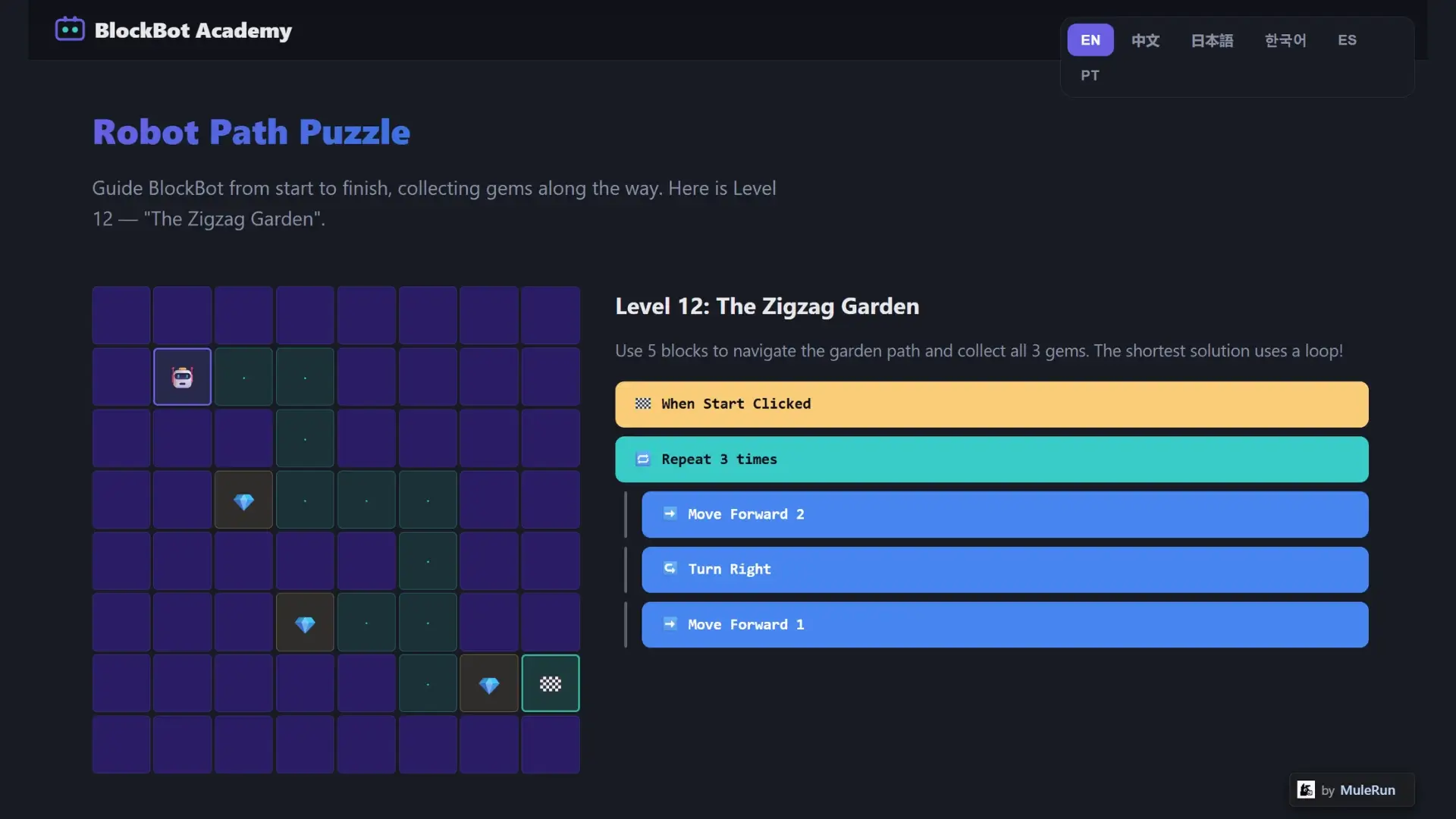
The core gameplay is a grid-based puzzle. Kids guide BlockBot from a start tile to a finish flag, collecting gems along the way. Level 12, “The Zigzag Garden,” challenges students to use just five blocks to navigate a winding path and collect all three gems. The shortest solution uses a repeat loop, rewarding kids who recognize patterns instead of brute-forcing every step.
Parents playing alongside their children can point out the pattern: “You moved forward twice and turned right three times. What if you told the robot to repeat that?” That conversation bridges the game mechanic to the programming concept naturally.
Sequencing and Loops: The Core Concepts Kids Master
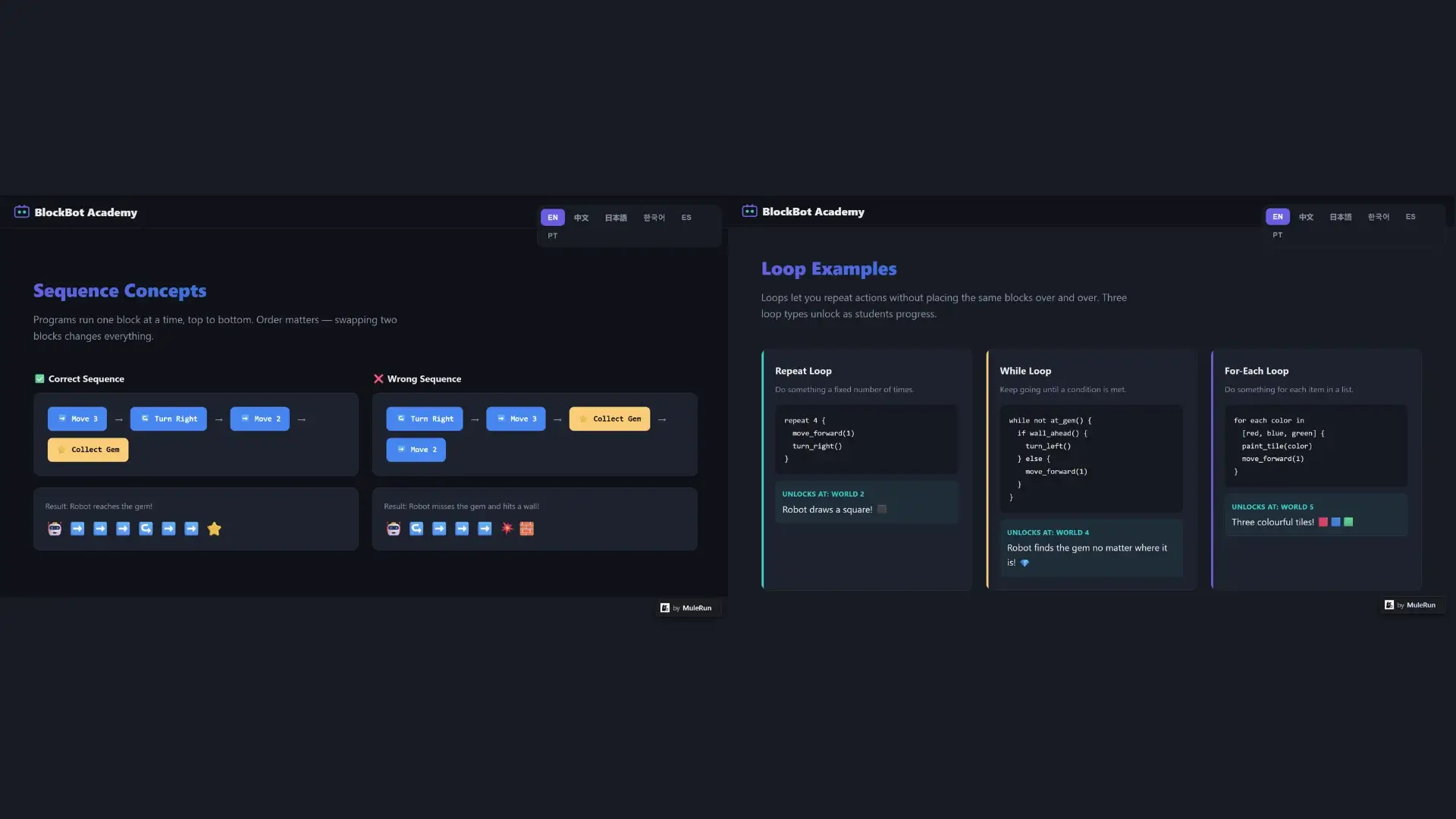
BlockBot Academy teaches sequencing with side-by-side comparisons. The correct sequence (move 3, turn right, move 2, collect gem) leads to success. The wrong sequence (turn right first) causes the robot to hit a wall. Kids see both outcomes, then fix their code. This is debugging in action.
Loops unlock in World 2 (Castle Maze) and progress through three types as students advance:
- Repeat loops: do something a fixed number of times. “Repeat 4: move forward, turn right” draws a square
- While loops: keep going until a condition is met. “While not at gem: if wall ahead, turn left, else move forward”
- For-each loops: do something for each item in a list. “For each color in red, blue, green: paint tile, move forward”
These three loop types cover the same basic coding concepts that professional developers use. The difference is presentation: gems instead of database queries, robots instead of API calls.
Level Map and Classroom Achievements
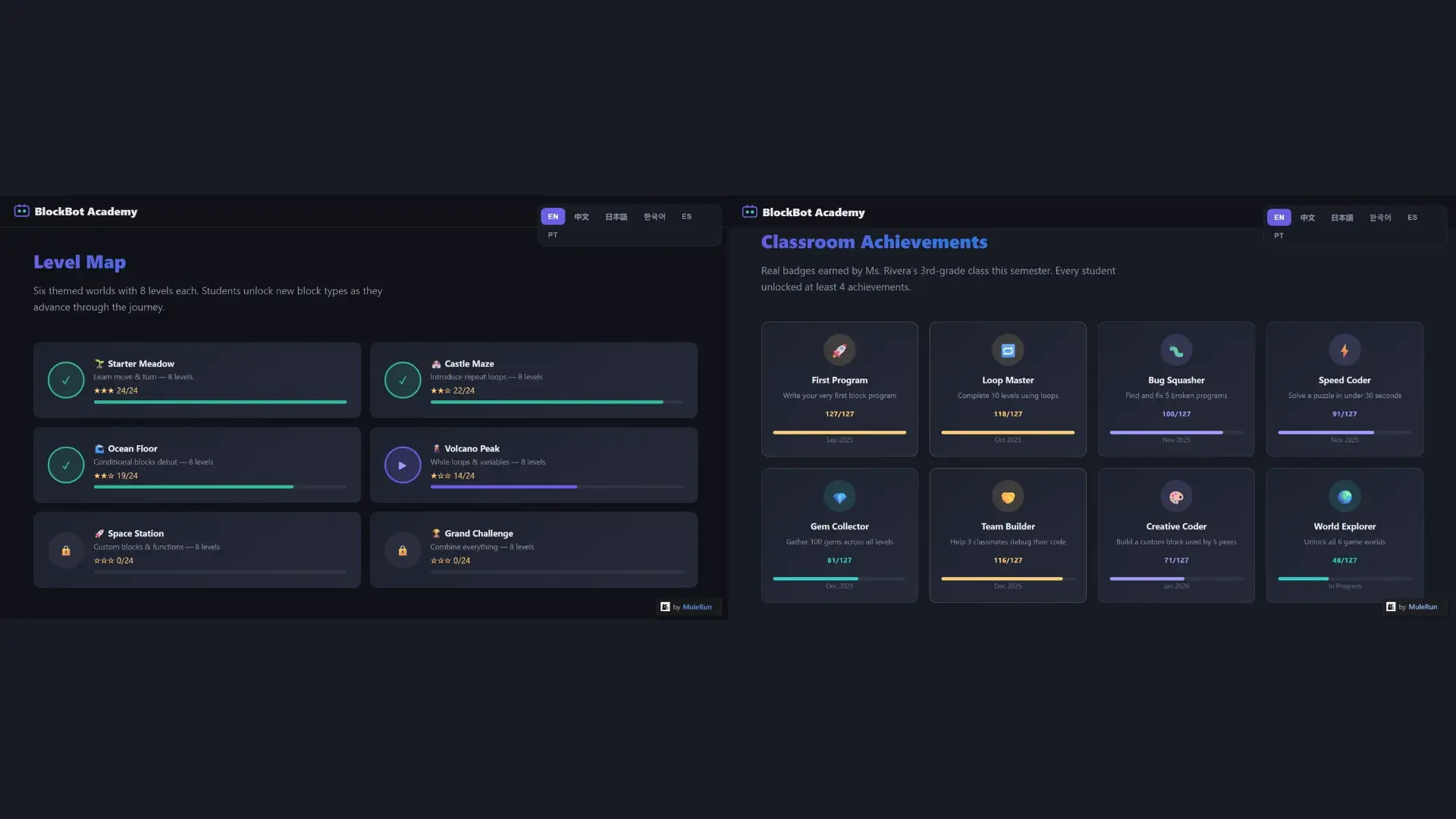
BlockBot Academy spans six themed worlds with eight levels each, totaling 48 puzzles:
- Starter Meadow: learn move and turn
- Castle Maze: introduce repeat loops
- Ocean Floor: conditional blocks debut
- Volcano Peak: while loops and variables
- Space Station: custom blocks and functions
- Grand Challenge: combine everything from all five previous worlds
The achievement system tracks eight badges including First Program, Loop Master, Bug Squasher, Speed Coder, Gem Collector, Team Builder, Creative Coder, and World Explorer. In the teacher’s 3rd-grade class, 127 students engaged with the game, 94% completed assigned levels, and every student unlocked at least four achievements.
Parents using BlockBot Academy at home can set their own milestones: complete one world per week, earn the Bug Squasher badge before moving on, or challenge siblings to solve the same level with fewer blocks.
What Basic Coding Concepts Do Kids Learn Through These Games?
Coding games for kids translate abstract programming ideas into tangible interactions. Each concept maps to a specific game mechanic that children experience directly:
- Sequencing: instructions run top to bottom. Swapping two blocks changes the outcome, teaching kids that order matters in every program
- Loops: repeat actions without duplicating blocks. Kids learn efficiency by solving the same level with fewer blocks using loops
- Conditionals: if-then-else logic teaches decision-making. The robot checks for walls before choosing to move or turn
- Variables: score counters, lives, and timers introduce the idea of storing and updating values as the game progresses
- Debugging: finding and fixing broken programs builds the habit of reading code critically, not just writing it
- Abstraction: custom blocks let kids package repeated patterns into reusable functions that classmates can use in their own solutions
These six concepts form the foundation of how to learn to code at any age. Games make them accessible to children as young as five by replacing syntax with visual feedback.
How Can Parents and Teachers Build Their Own Coding Games?
BlockBot Academy was not built by a developer. A teacher described what the classroom game should include, and MuleRun Chat generated the entire interactive page. Parents and teachers can do the same thing to create personalized coding games for kids that match specific learning goals.
Here is how it works:
- Describe the game: type a prompt like “Create a visual coding game for kindergartners with only sequencing blocks, an animal theme, and five easy levels”
- Get a playable page: MuleRun Chat generates a complete interactive game on a .mule.page link that works on any device with a browser
- Share it instantly: send the link to your class, your child, or another parent. No app downloads, no accounts required for players
- Customize and iterate: change the prompt to adjust difficulty, swap themes from robots to dinosaurs, add a leaderboard, or remove time pressure for younger learners
A parent homeschooling a five-year-old can request a sequencing-only game with three levels and a farm theme. A teacher running a coding club for fourth graders can ask for a game that introduces while loops and functions. The prompt is the curriculum.
Every game you build is shareable, playable on any device, and created without writing a single line of code. Focus on what your child or student needs to learn, while we work out the rest.
Try the template that generated BlockBot Academy.
How Can You Explore More Game Templates?
BlockBot Academy is one example of what you can build for education. The MuleRun use case gallery contains templates across game development, education, content creation, and programming. Open any template to see the prompt that created it, then modify it for your classroom or home setup.
Ideas for parents:
- Request a math puzzle game where kids solve addition problems to move a character forward
- Build a typing game that teaches keyboard basics through a space adventure
- Create a story-builder where children arrange plot blocks in sequence to learn narrative structure
Ideas for teachers:
- Generate a classroom game that matches your curriculum’s weekly coding objectives
- Build differentiated versions: an easier game for students who need reinforcement and a harder game for students ready to advance
- Create a collaborative coding challenge where student teams compete to solve puzzles with the fewest blocks
Explore more use-cases across education, and more.
Start Building Coding Games for Your Kids or Classroom
Teaching kids how to learn to code does not require weeks of lesson planning or expensive software licenses. Describe the game you want, and your child or students can play it the same day.
Have an idea for a coding game, a classroom quiz, or an interactive lesson? Open MuleRun Chat, describe it, and get started now. Sign up for free.